Toolbox meetings that reach everyone. Demonstrably, in any language.

The agency worker who doesn't speak the local language. The subcontractor confirmed only yesterday. The crew that starts at six in the morning. With LesLinq, you know for certain that the toolbox has been seen, understood and registered, by everyone.
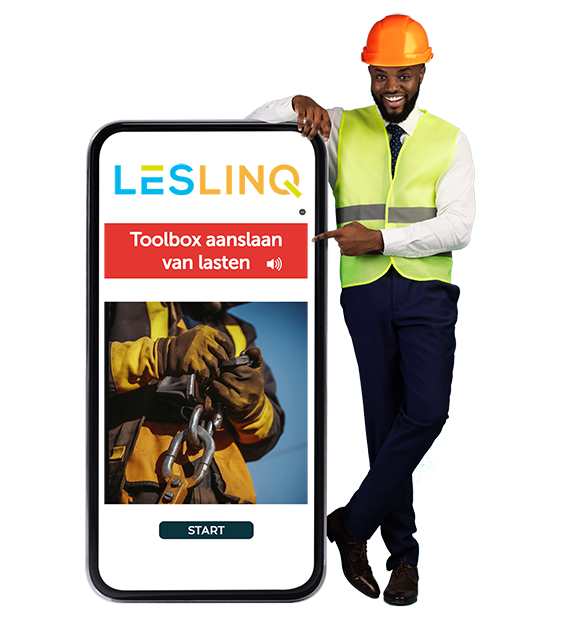
A signature on a list is proof. But can you find it if an inspector asks for it tomorrow?

Toolbox meetings are mandatory for VCA-certified companies. But their effectiveness stands or falls with proper registration. Who signed? Did everyone understand it? And what if someone doesn't speak the language? A digital toolbox through LesLinq answers all those questions automatically.

Proof changes behaviour.

The moment an employee knows that something is being registered -that a certificate is being issued in their name- something shifts. Not out of a passion for safety, but out of an awareness that it matters. That's the power of demonstrable instruction.

More than ticking a box. Real reach.

30+ languages, automatically

Automatic translation and text-to-speech. The toolbox addresses the employee in their own language — including those who struggle with reading.

Demonstrable reach

A timestamp, a score and a certificate per employee. Visible in the dashboard and exportable for audits and inspections.

No app, no login

Employees open the toolbox via SMS, email or QR code. No installation, no account needed.

The entire chain reached

Own employees via SMS, agency workers via the staffing agency, subcontractors via QR at the gate. Compliance rates visible per agency.

Tested, not just shown

Questions verify whether the content was actually understood. Set a minimum score — a certificate is only issued when it's been met.

More than 70 ready-made toolboxes

Ready-to-use modules per topic. Fully customisable to your own branding and location.

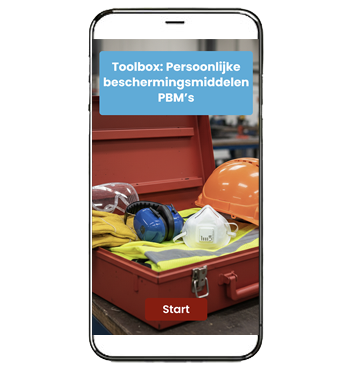
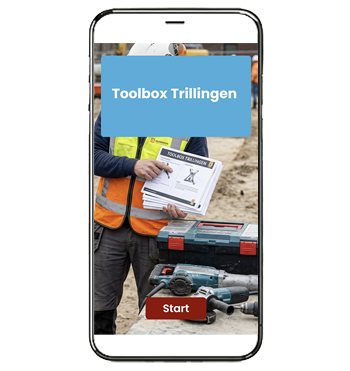
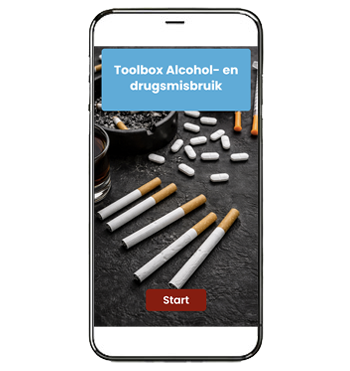
Overview of digital toolboxes

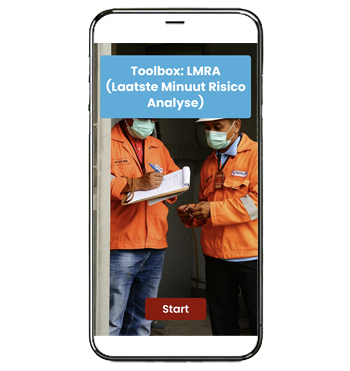
Below are a few examples of toolboxes available as standard in LesLinq.
Deze bedrijven gingen je voor
logo AB Midden Nederland
cordial adhesives logo
Hollander logo
Dycore logo
besix logo
besix logo
Calduran logo
Unibarge logo

From toolbox to proof in three steps.

1

Choose or build the toolbox

Use a ready-made module from the library, or customise it with your own images, text and branding using the authoring tool.

2

Send to your team.

Via SMS or email for employees you know. Via QR code for the crew arriving on site. Everyone on their own phone, in their own language.

3

Proof is ready.

Named certificate, timestamp, score. Visible per employee and per agency. Exportable for audits and inspections.

What people ask most about digital toolboxes.

General Toolbox meetings

What is a Toolbox meeting?

A toolbox meeting (also called a toolbox talk or toolbox training) is a short safety briefing designed to inform employees about a specific safety topic relevant to their work. The goal is to raise safety awareness and encourage safe behaviour on the work floor.

Toolbox meetings are often mandatory. In sectors such as construction, industry and logistics, they form part of the safety policy and VCA certification requirements.

A toolbox meeting typically focuses on a single topic, such as working at height, personal protective equipment (PPE), hazardous substances or lifting equipment. It addresses the risks that are relevant at that moment or in that particular situation.

Is a digital toolbox permitted as a replacement for a physical meeting?

Yes, provided that registration and testing are demonstrably in place. LesLinq automatically records who completed what, when, and with what result. That is exactly the evidence an inspector will ask for.

Creating and customising toolboxes

Which languages does LesLinq support?

More than 30 languages, including text-to-speech via ReadSpeaker. Employees choose their own language at the start, or you set the preferred language per person in advance.

Is there a read-aloud function for employees who struggle with reading?

Yes. LesLinq has a built-in text-to-speech function that automatically reads the content aloud in the chosen language.

Can I customise toolboxes to match our own working practices and branding?

Yes. If you have purchased the Authoring Tool module, all ready-made toolboxes can be fully customised with your own text, images, logos and colours. You can also build entirely new toolboxes from scratch using the authoring tool.

Can employees receive a certificate?

Yes. You set the minimum pass score yourself. When the result is sufficient, the participant automatically receives a named certificate showing the date and score. This is stored in the dashboard and in the participant's myLesLinq account.

LesLinq and toolboxes

Do employees need an app or an account?

No. Participants open the toolbox via a link in an SMS, email or QR code. No download, no login. Directly on their own phone.

Does the LesLinq platform work on mobile phones?

Yes, the toolbox modules are optimised for mobile use. They work seamlessly on smartphones and tablets.

Can I see who has completed the toolbox?

Yes. In the dashboard you can see per employee who has opened and completed which toolbox, and what result they achieved.

Does LesLinq work with staffing agencies?

Yes. Agencies get their own access to your LesLinq environment and distribute toolboxes independently to their people. You see the compliance rate per agency in real time.

Don't see your question? Contact us online or call us on +3185 105 1917.